For production studios
See it before you shoot it.
Treatments, boards, art direction and film, developed in one workspace. Build the look once, save it to your library, and carry it from the pitch through to delivery.
No subscription required to start. AI generation at cost.
Made for studios
Built for craft. Made for production studios.
Develop the look before anyone books a day.
- Treatments
- Storyboards
- Art direction
- Visual styles
- Film
Spend less of the schedule explaining what it will look like. Spend more of it getting it right.
The difference
Most AI hands you a frame and asks you to describe the next one. A studio cannot work that way: the look has to hold across a sequence, a campaign and a delivery. Heista makes the craft itself reusable. The visual style, the cast, the camera setup and the specialists you build are saved and carried, so what you established in the treatment is still true in the final frame.
- Brief
- Treatment
- Boards
- Shots
- Delivery
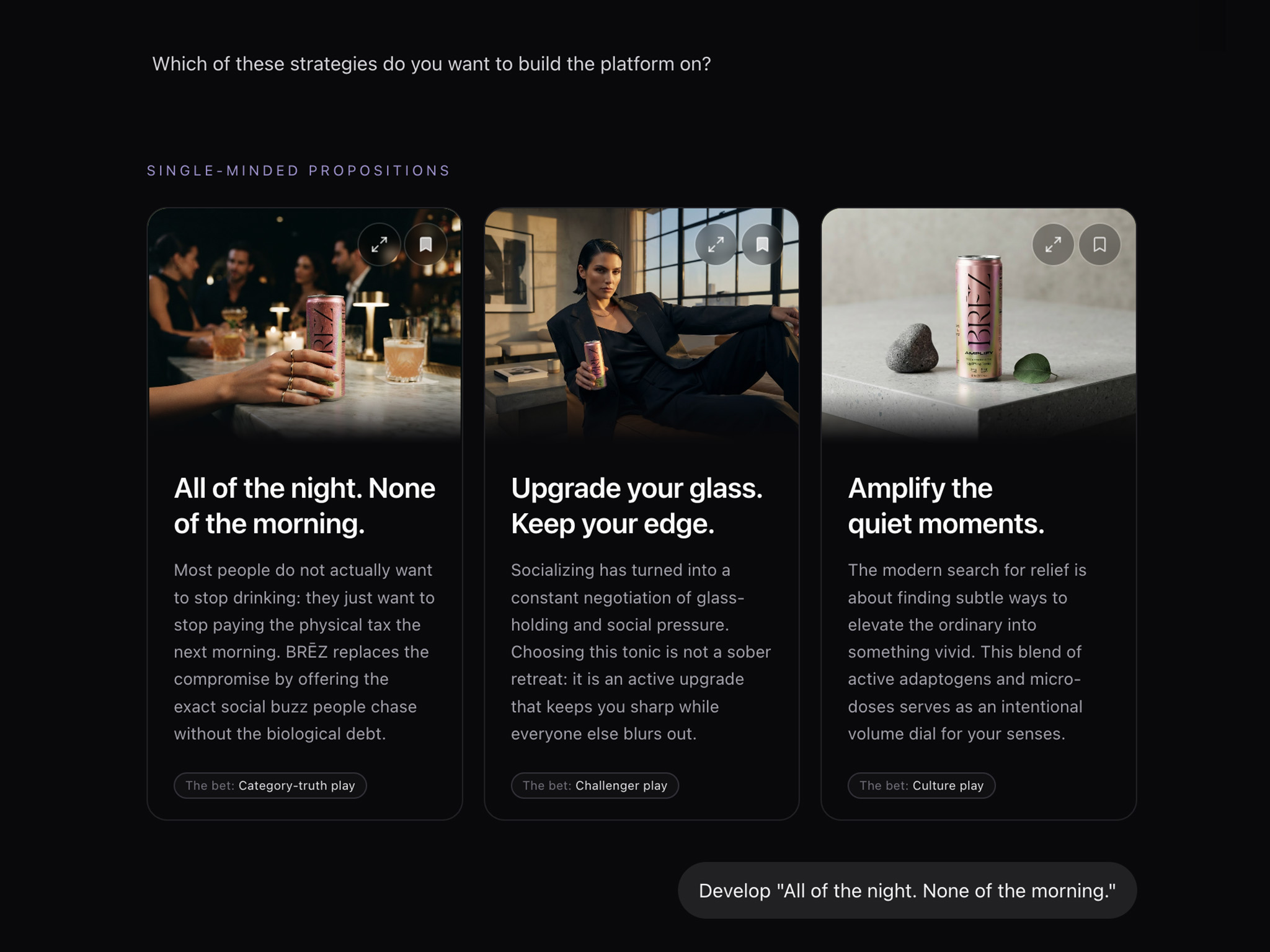
Treatments and pitches
Sell the idea, then make the thing.
Bring a concept or a treatment to life for the pitch, at the quality the pitch deserves. Cut reference film to brief a crew. Or make the finished piece itself. The same workspace carries the job from the document you sent to win it through to what you deliver.
Look development
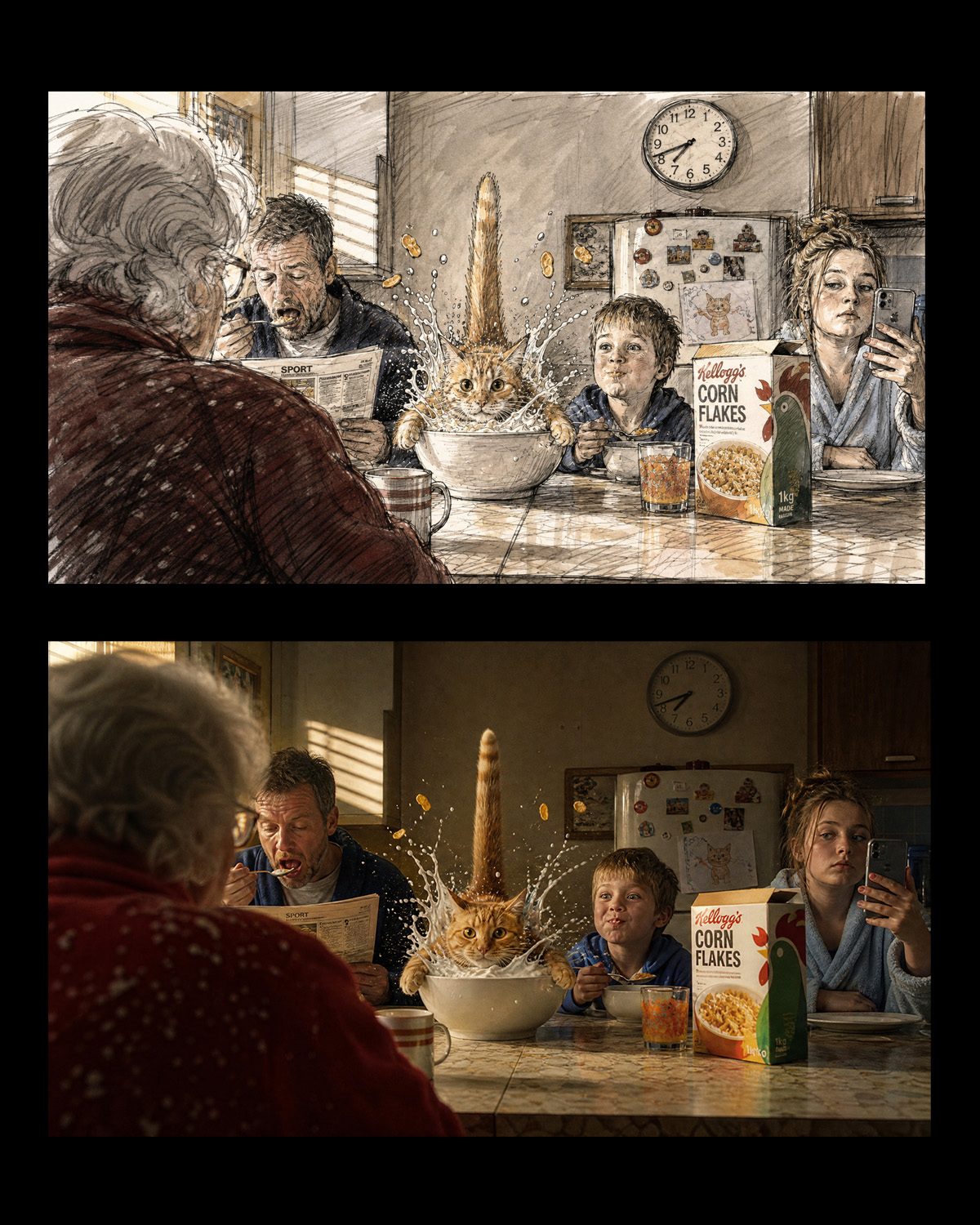
One idea. Unlimited ways to shoot it.
Take one concept and see it as several visual treatments, each with its own world, its own tone and its own visual language. The direction gets judged on the work in front of you, rather than on how well it was described in the room.
Ideas into film
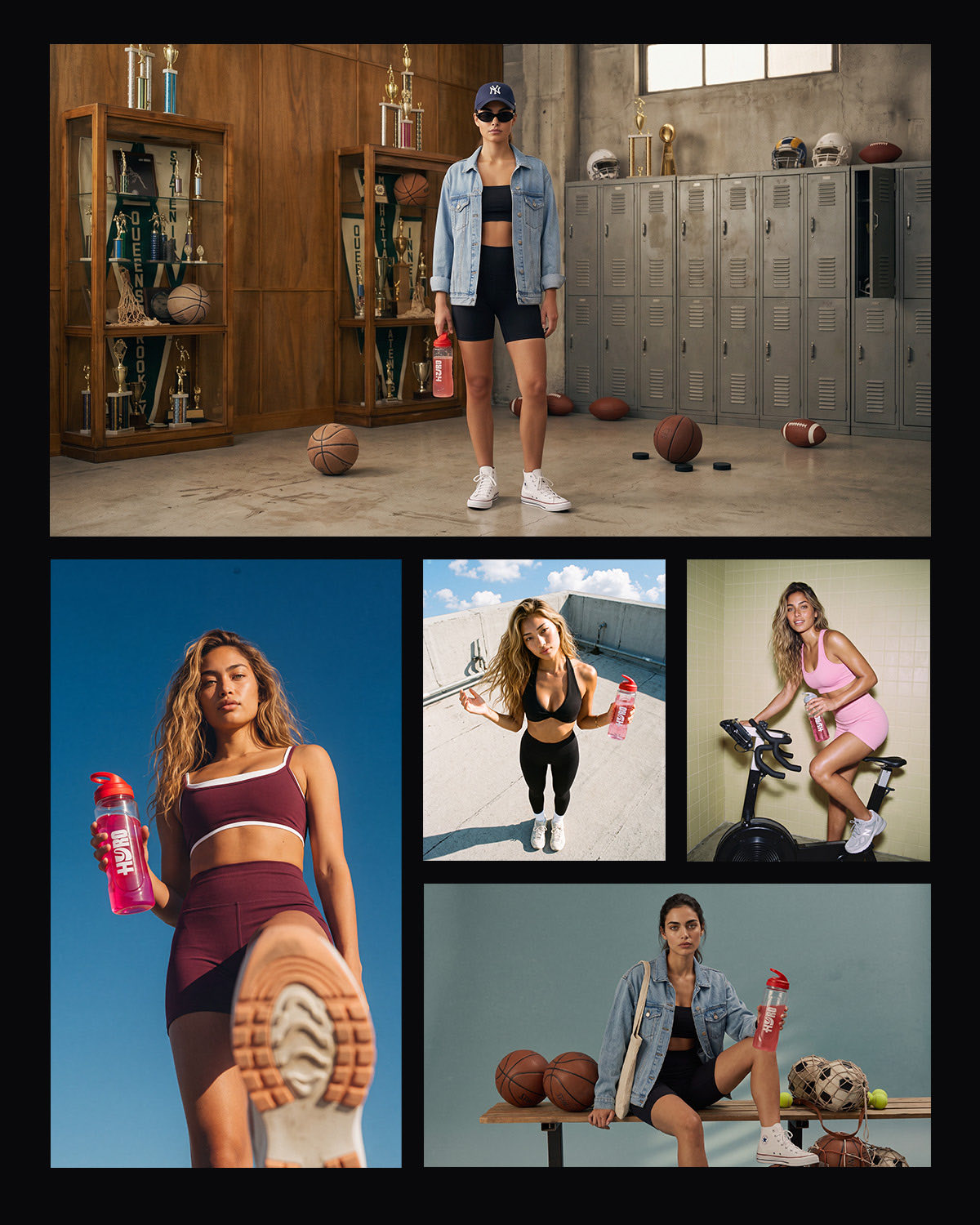
Concepts move while you are still thinking.
Film is not a separate stop at the end. Ask for the shot while you are still working the idea out and it comes back moving, at the length and the look you asked for. A director, a client and a producer end up judging motion rather than a still and a paragraph, while the concept is still worth changing.
Your visual styles
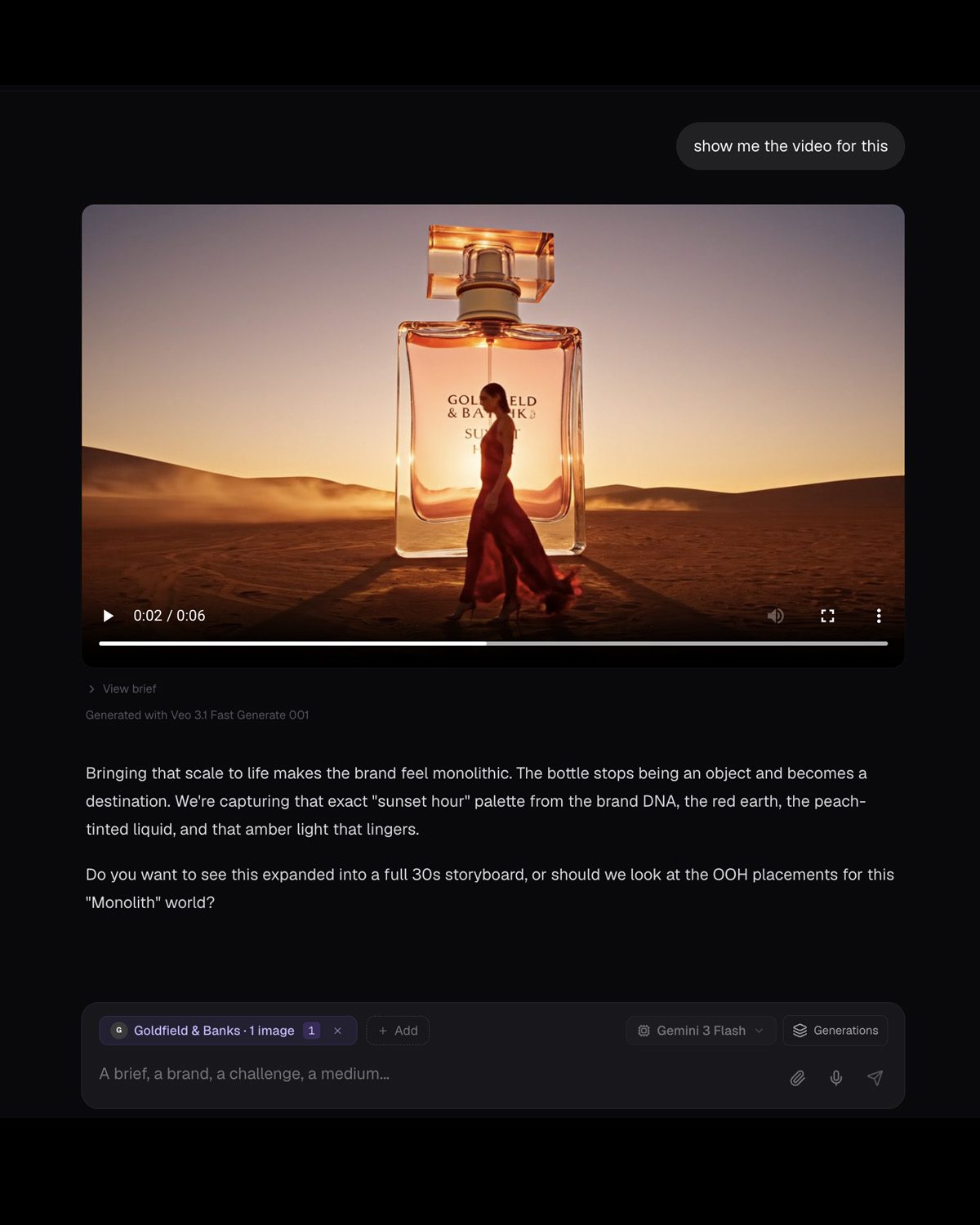
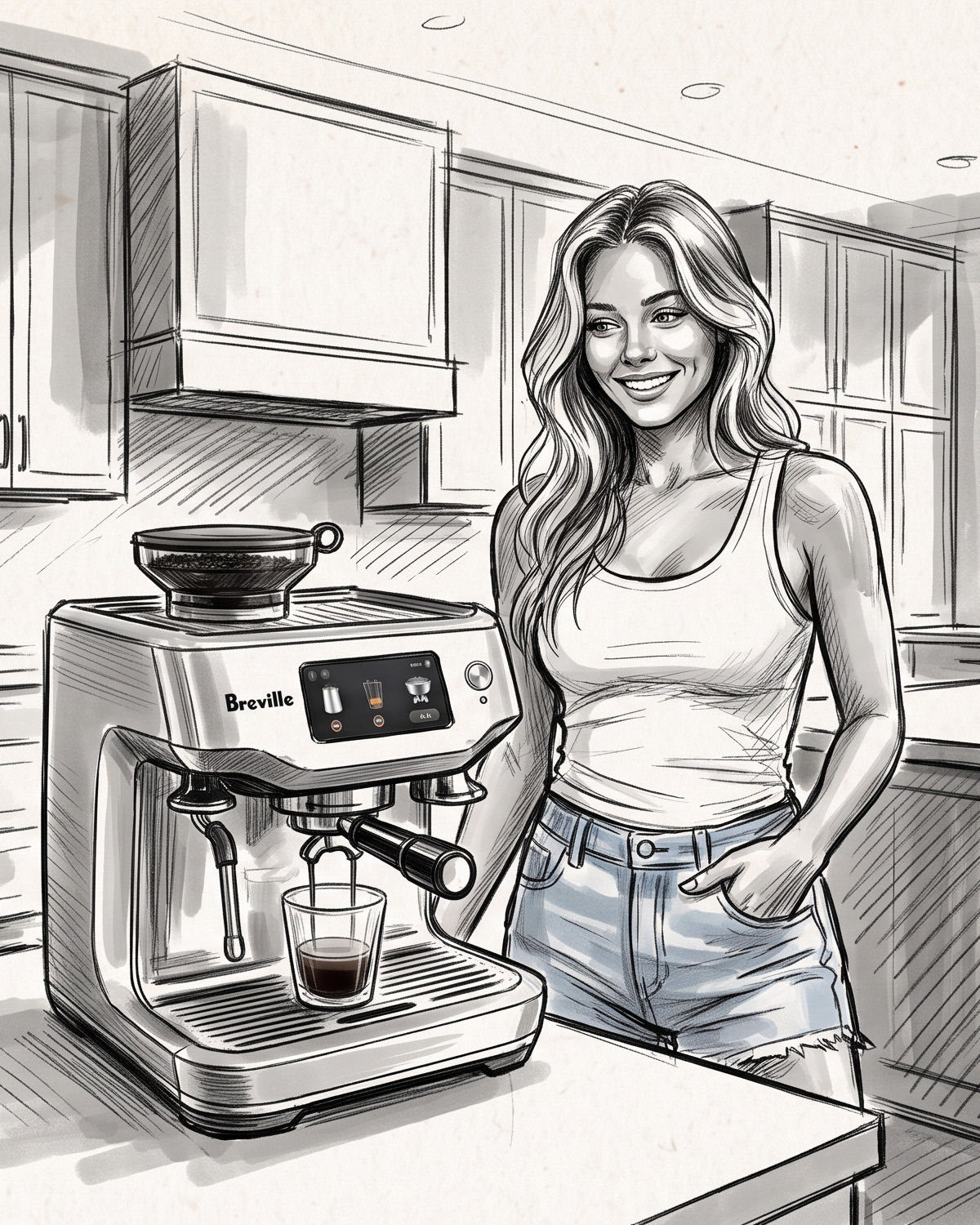
Stop prompting the visual style. Save it.
Photography on a particular lens. A film stock. An illustration, a 3D render, a rough scamp. Pick the look you want or build your own, save it to your studio library, and every frame after comes out in it. The look you developed for one job is a starting point for the next.
Camera
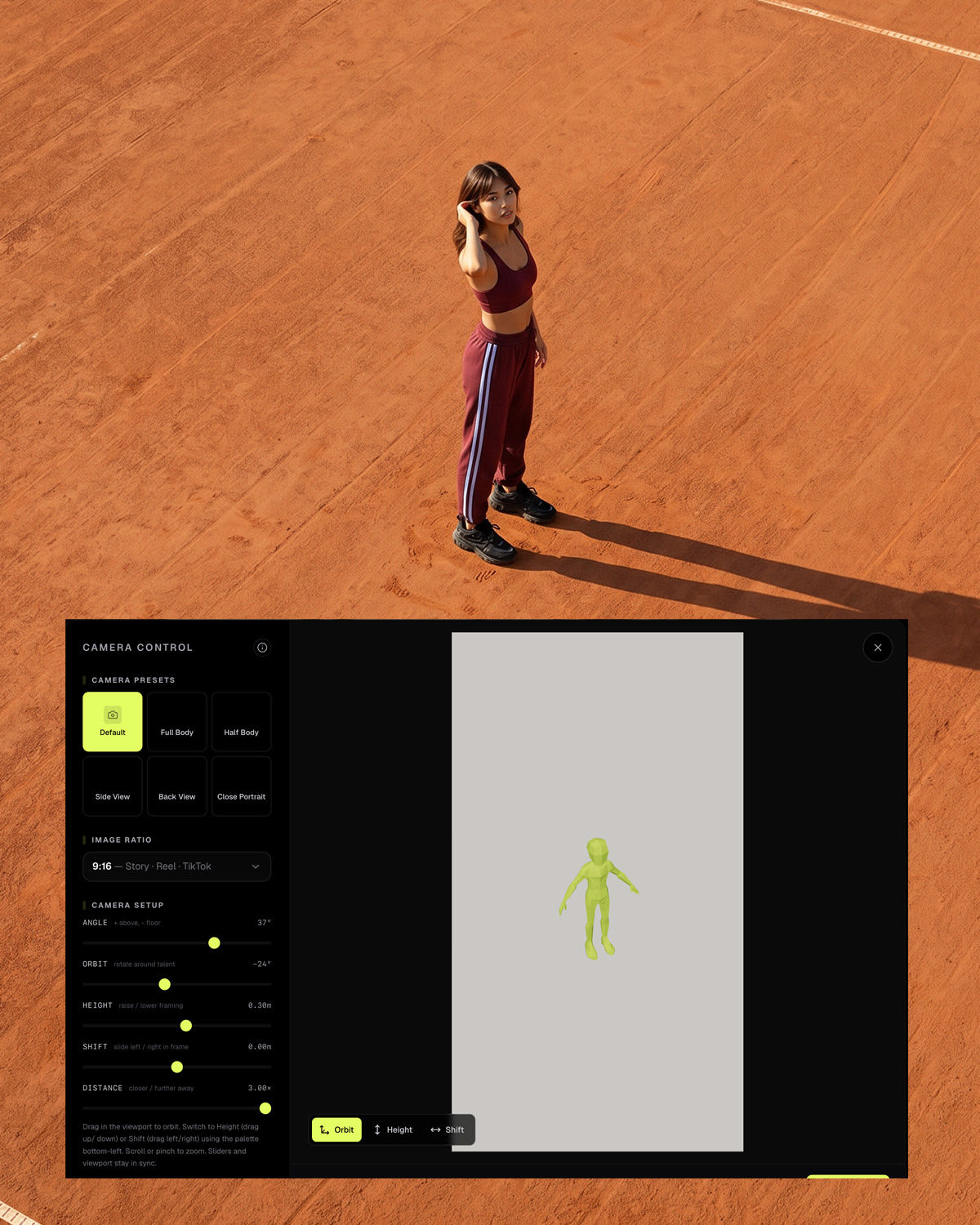
Move the camera, not the prompt.
Set the shot in a 3D studio. Angle, orbit, height, how close you sit. The treatment holds while the view changes, so you get coverage of one idea instead of a different photograph every time you ask.
Casting and wardrobe
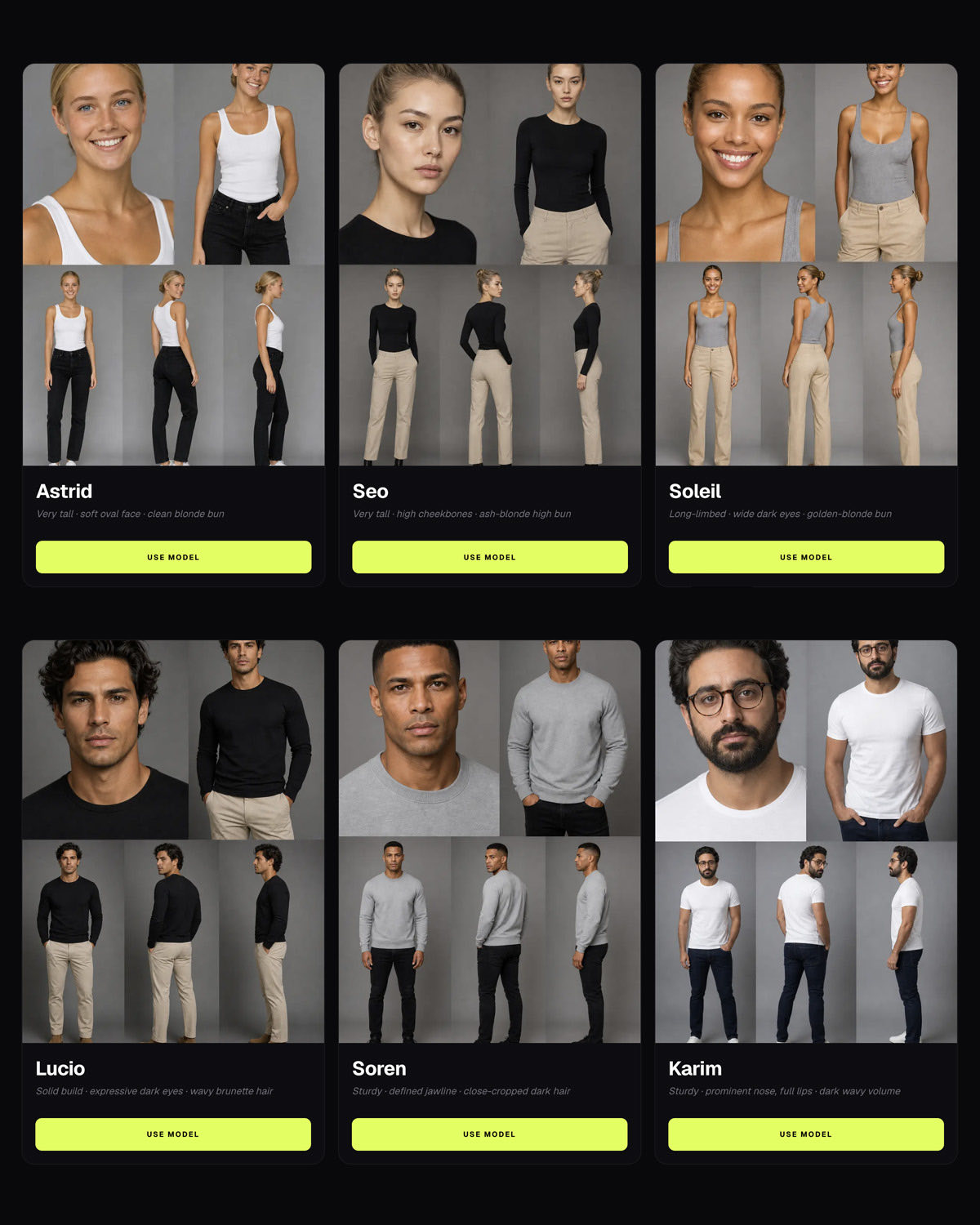
Cast it once. Shoot it everywhere.
Cast the talent with a casting director, build the wardrobe with a stylist, and save both into your library. Everything you art direct after that is cast and dressed the same way, from the first pitch frame through to delivery.
Refinement
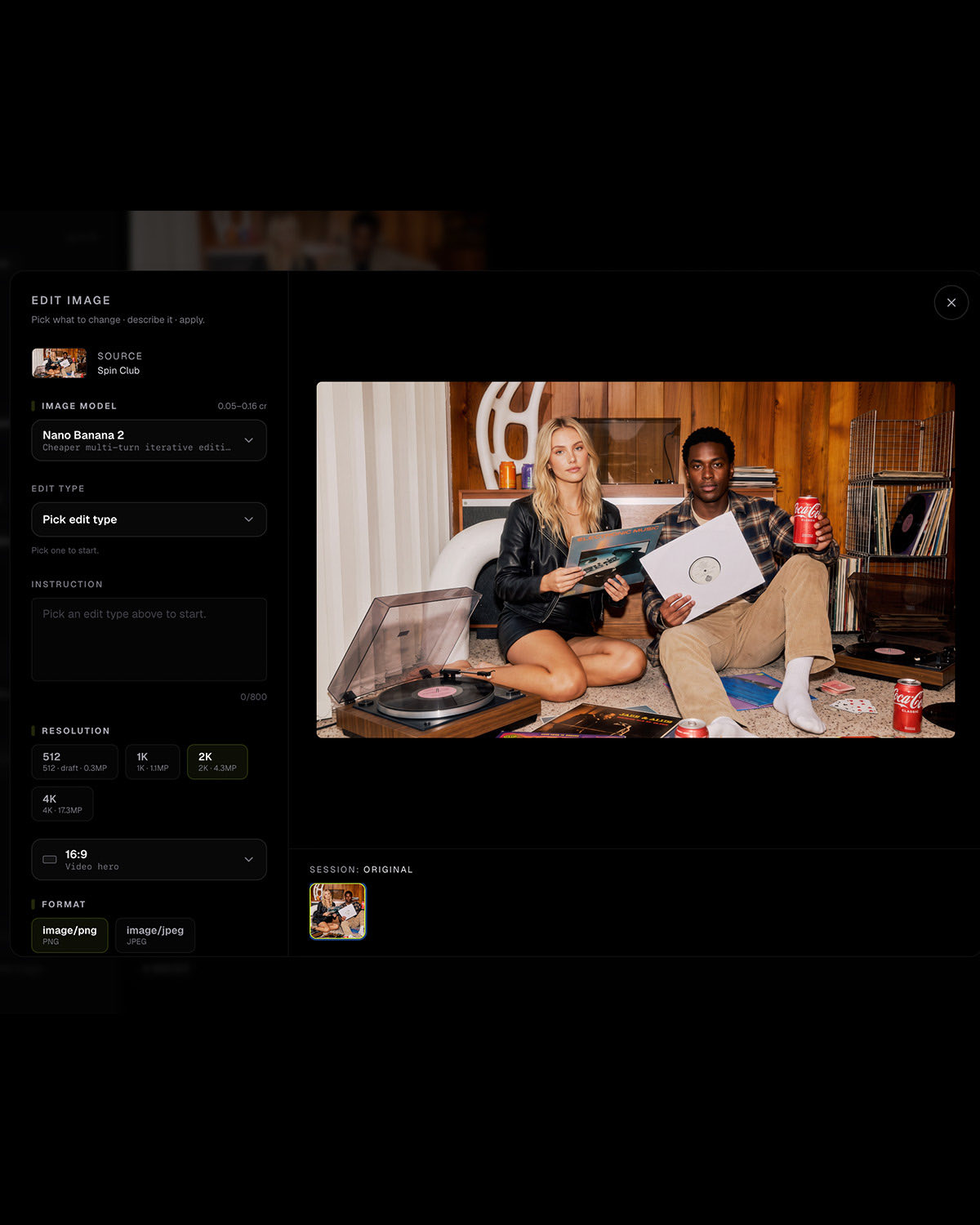
Fix the frame. Don't reshoot it.
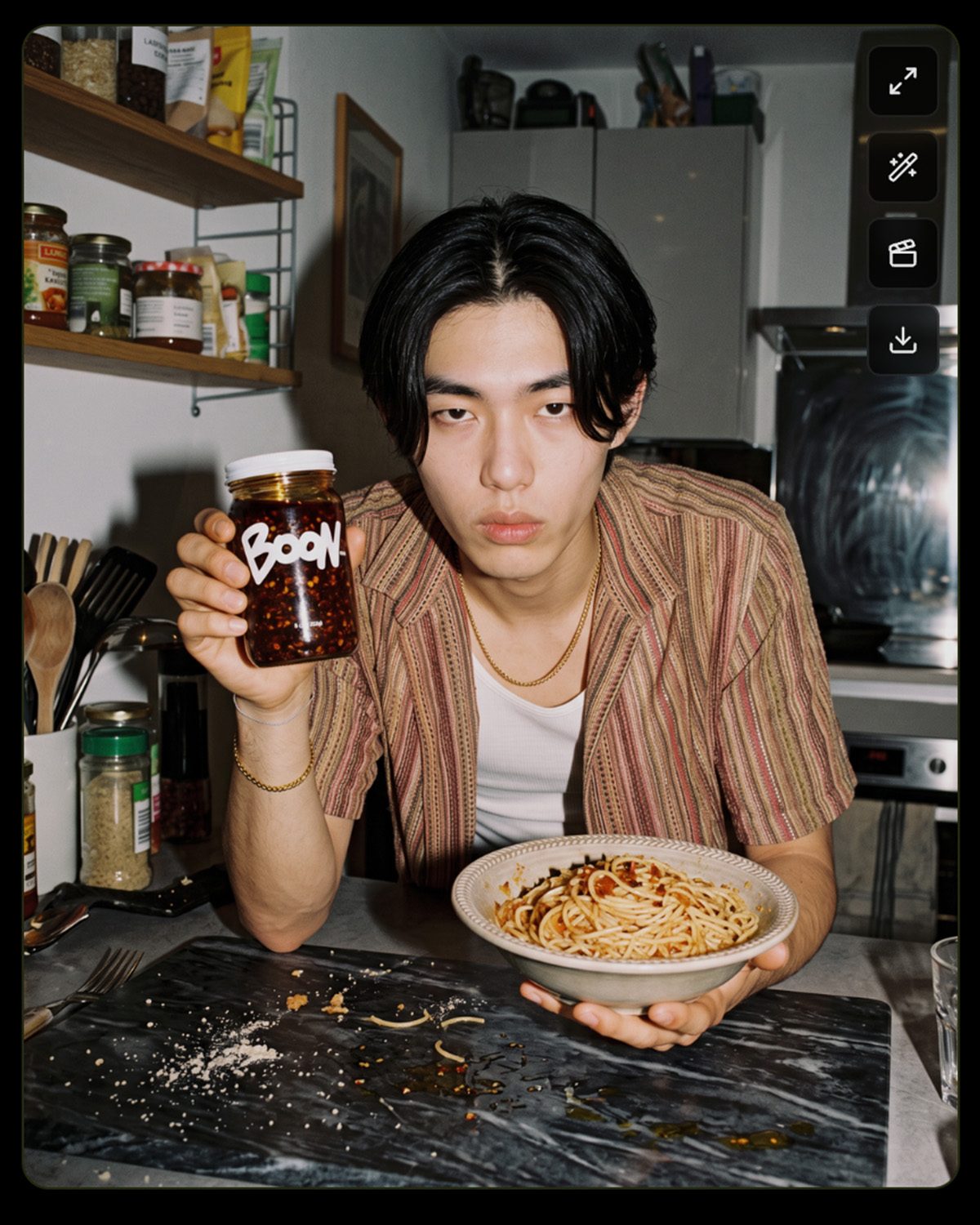
Change a background, a grade, a prop or the wardrobe on a frame you already like. Nothing else moves, and the one you keep renders up to 4K.
Still to film
Turn any frame into a moving shot.
Anything you have made in the workspace can become the start frame for a shot. The frame you art directed this morning is moving by the afternoon, without exporting it to another tool first. Pitch film, reference film for the crew, or the finished piece at the quality it has to run at.
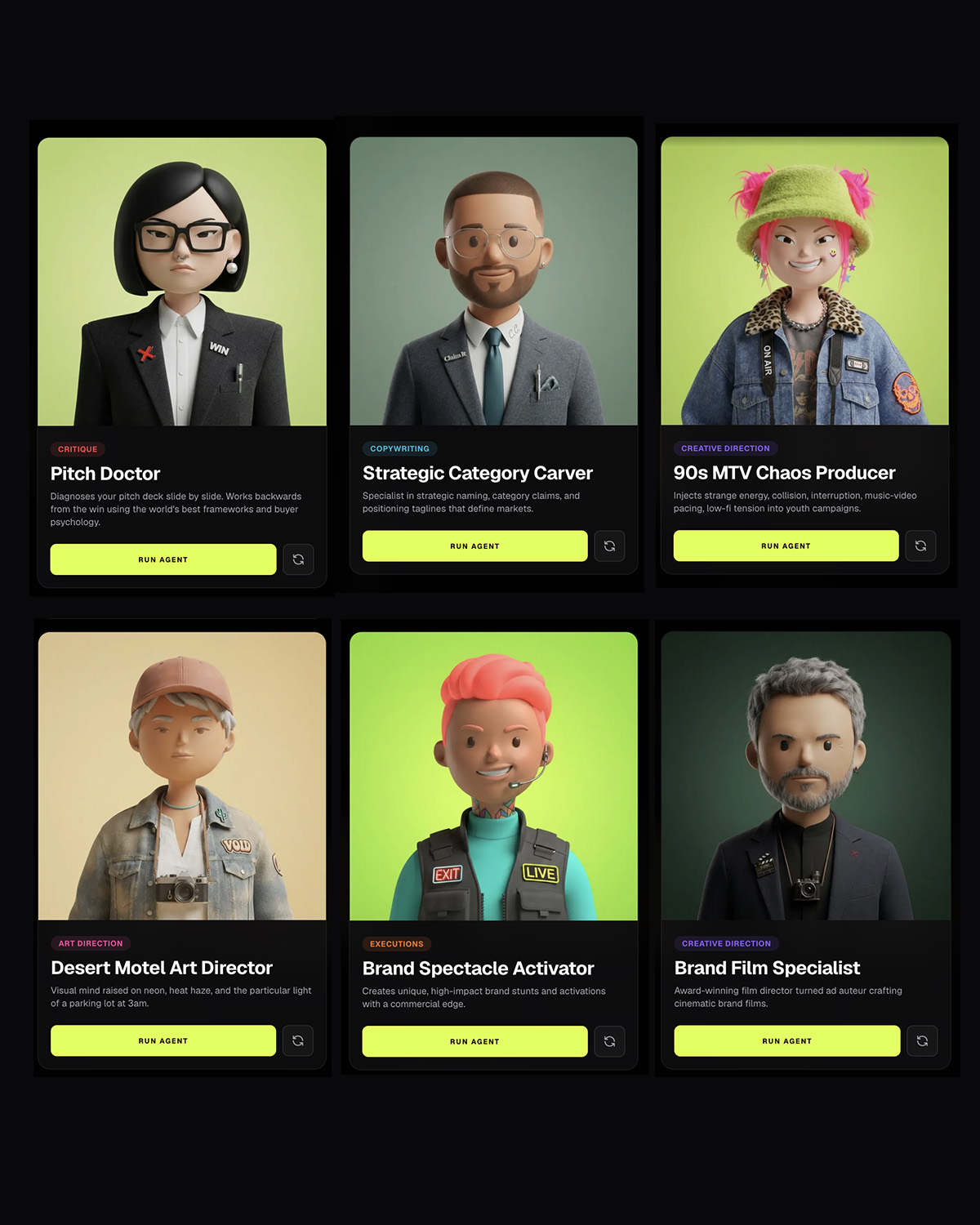
Your own specialists
Build the specialist the job needs.
Pick a ready-made creative specialist or build your own, each with its own craft, taste and point of view. Someone who only works in one 3D style. Someone who art directs a particular period. Someone who writes treatments, or manifesto scripts, the way you would. What you build is written up as a craft of its own and stays on your roster for the next job.
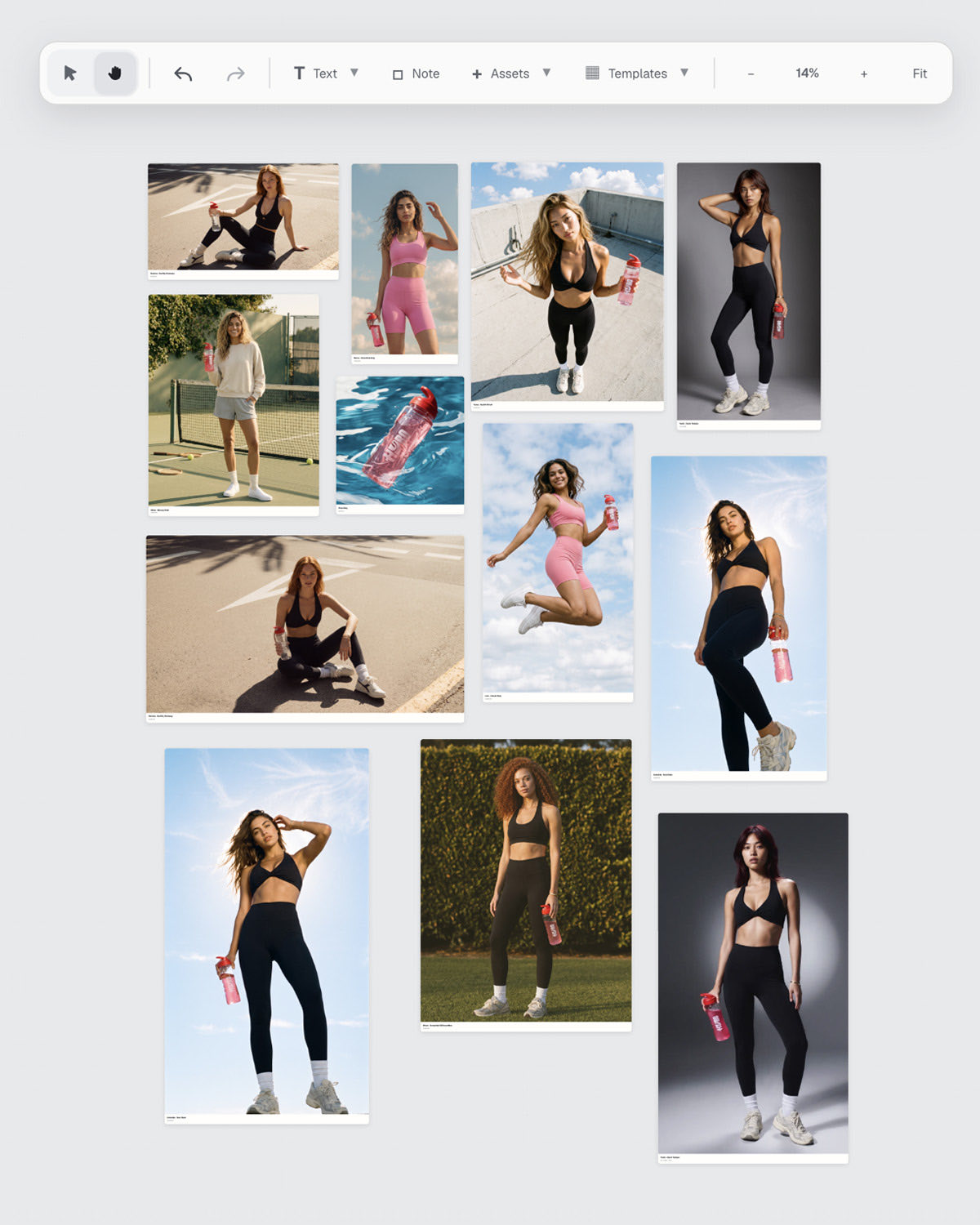
Boards
Present the direction with your team.
Pull moodboard stills, storyboards, art direction frames, key visuals and film onto one shared canvas. Build the presentation as the direction develops, take feedback on it in place, and present the work without rebuilding it in another tool.
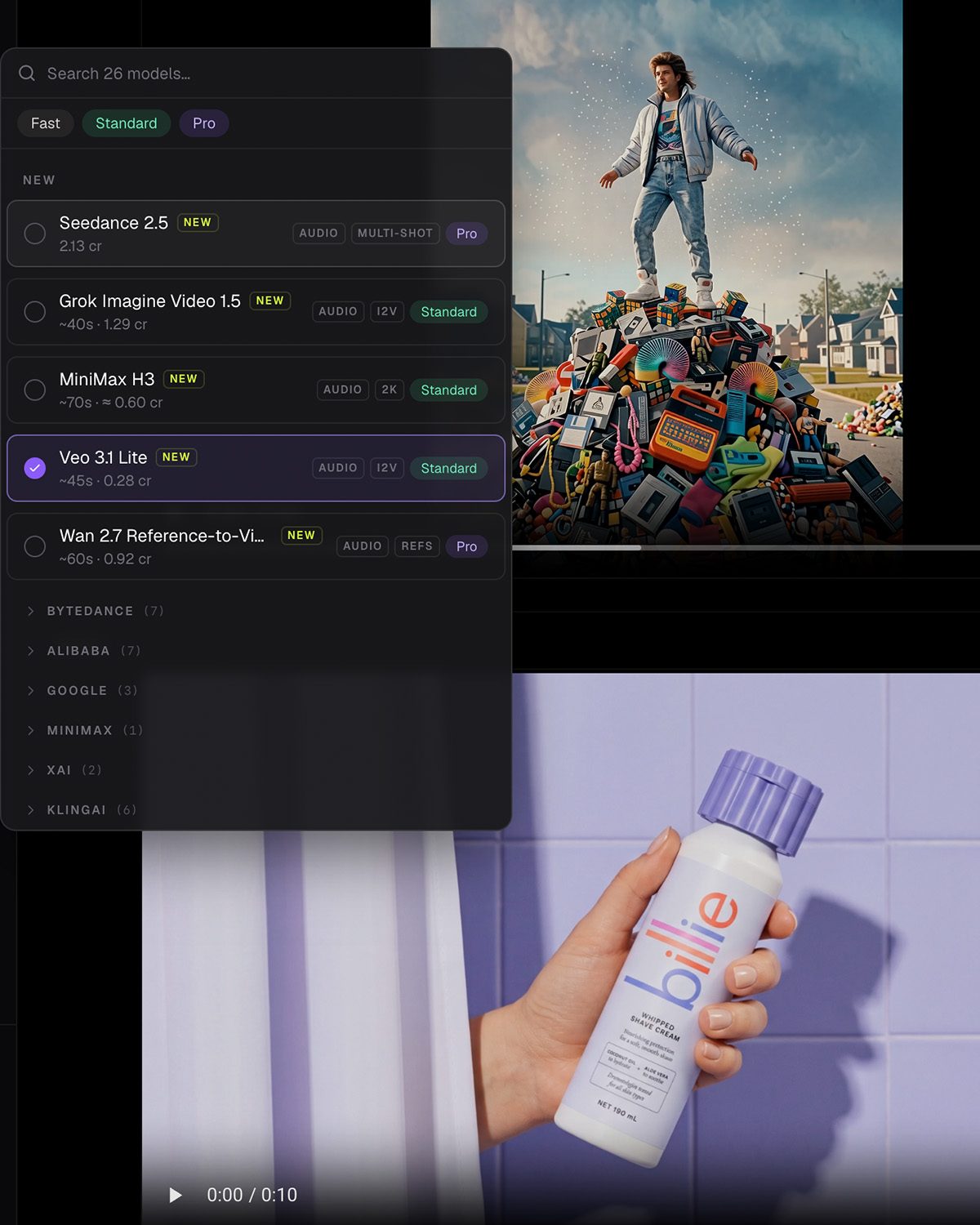
Every model, at cost
The latest models. At cost. No markup.
The newest image and film models land here as they ship, with the cost of the render on the row before you commit to it. Pick the one that suits the job, switch part way through, or re-render a frame you already have on a different one. What Heista pays, you pay.
Your studio library
Nothing lives in a downloads folder.
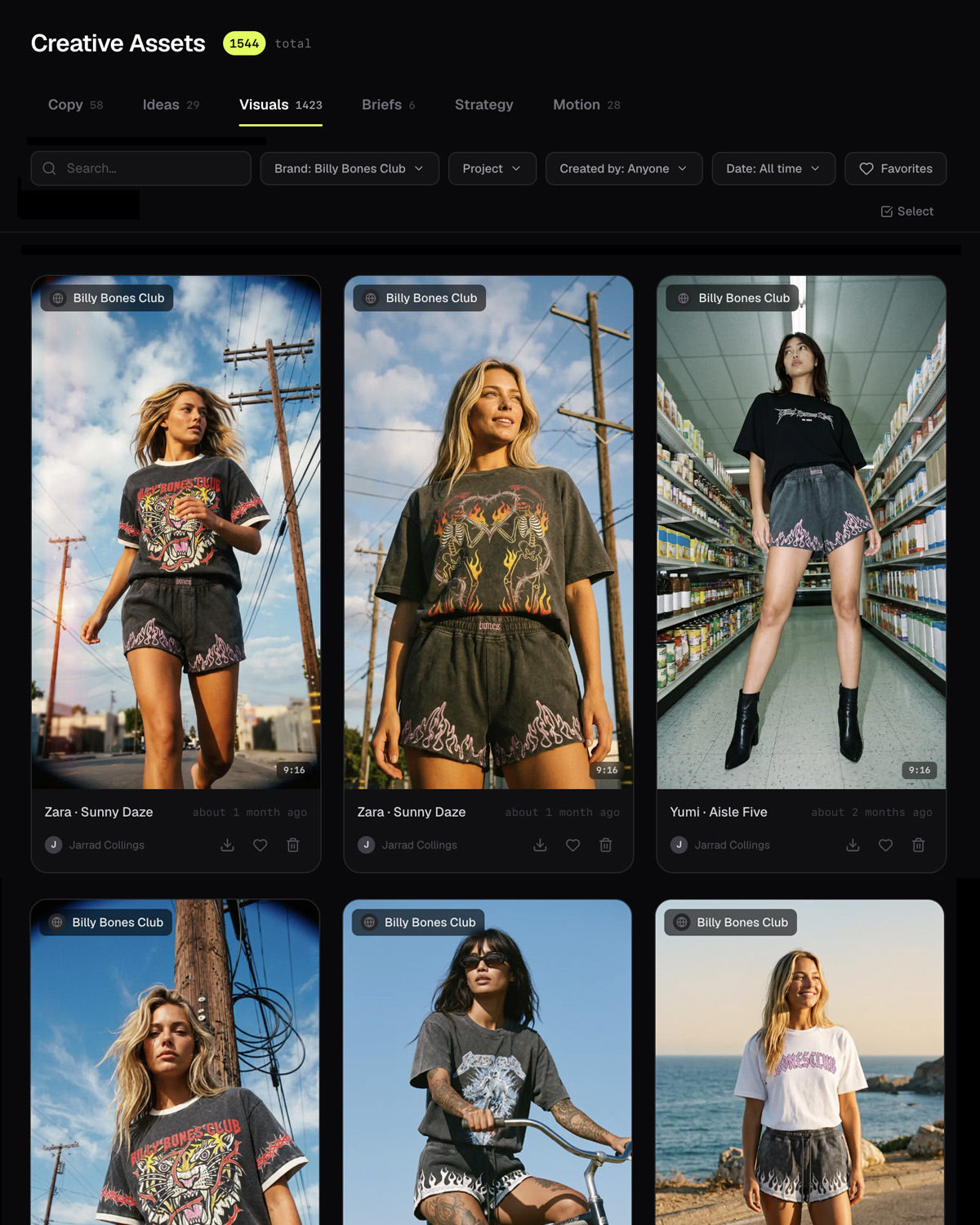
Treatments, boards, frames, films and documents all land in one place, tagged to the client and the job they belong to, and searchable by brand, by project, by date or by whoever in the studio made it. The looks, the casts and the specialists you build sit beside them, ready for the next brief.
Not another tab.
Your studio. Your branding. Your creative workspace.
Brand it and run your creative operation from it.
No subscription required to start. AI generation at cost.
crave
·Social agencyCurrency
·TikTok influencer agencyPresets
Start from craft, not a blank prompt.
Visual styles, casts, wardrobes, playbooks and specialists, ready to run on the first job and yours to build on after it.
Frequently asked questions
What studios ask before they move development, art direction and previs into one place.
Talk to us- What is Heista for a production studio?
- Heista is a creative development workspace for production studios. It covers the work before and around a shoot: developing treatments, exploring visual directions, boarding a sequence shot by shot, art directing frames, and producing film. Visual styles, casting, wardrobe and the creative specialists a studio builds are saved to its own library and reused across jobs, so the look established in a treatment holds through to delivery.
- Does it replace a shoot?
- Not usually, and that is not the pitch. Most studios use it for everything around the shoot: winning the job with a treatment that looks like the finished thing, boarding the sequence before a crew is booked, and art directing the look so the day is spent executing a decision rather than making one. Some work is finished entirely in it, and some is reference for a crew. Both are normal.
- Can we keep a look consistent across a whole job?
- That is the point of the library. A visual style — the lens, the stock, the grade, the art direction — is saved as a reusable system rather than re-prompted, and casting and wardrobe are saved the same way. Every frame made afterwards inherits them, so a sequence holds together and a second job for the same client starts where the first finished.
- What kind of work can it produce?
- Treatments and pitch film, storyboards and previs frames, art direction and key visuals, campaign stills in every ratio, and film from reference cuts through to finished pieces. Frames can be explored on fast models and re-rendered at full quality, and an approved frame renders up to 4K.
- Can we build specialists for our own craft?
- Yes. Alongside ready-made creative specialists you can build your own around a particular craft, taste or point of view — a single 3D style, a period of art direction, a way of writing treatments — and brief it the way you would brief a person. What you build is written up as a craft of its own and stays on your roster.
- What does it cost to run for a studio?
- There is no subscription required to start, and AI generation is billed at cost: what Heista pays for a render is what you pay, with no markup. Book a demo for how that works across a slate of jobs.
Keep reading
Create your studio workspace today.
The creative development workspace for agencies and creative teams. No subscription required to start. AI generation at cost.
